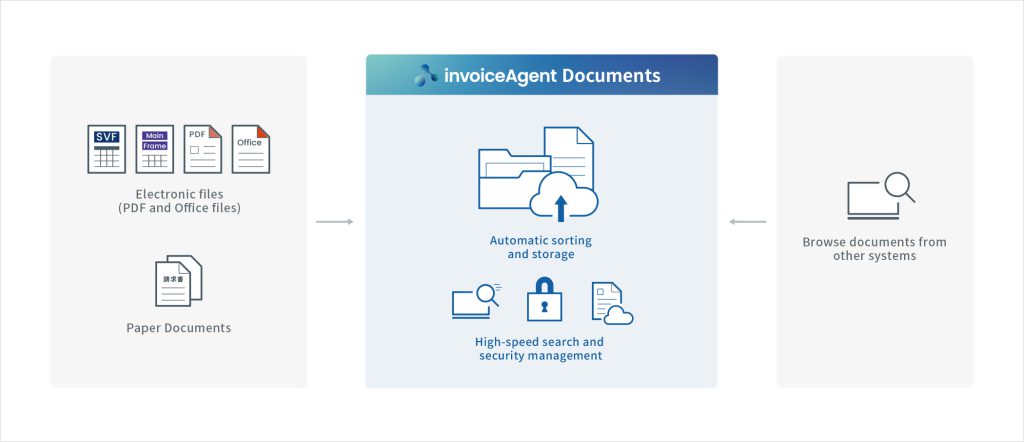
invoiceAgent Document is a document management solution that can sort, store, and search all types of forms, as well as integrate with other systems. It facilitates secure electronic document management that complies with the Electronic Book Storage Act, reduces costs, strengthens governance, and promotes paperless operations.
Automatically sort and store electronic forms and scanned documents. In addition to searching and viewing documents on invoiceAgent Documents, using adapters and Web
Benefits of invoiceAgent Document
These are some of the benefits you can expect from invoiceAgent Documents.
MERIT 01
With easy-to-use User Interface and accurate search capabilities
MERIT 02
Promotes paperless operations, operational effciency, and remote work
MERIT 03
Form digitization goes beyond operations and departments
Features
Introducing features that improve operational efficiency and legal compliance related to document management
invoiceAgent Documents automates the complex work involved in document and record management. It also reduces management costs and improves the quality of internal control.
Easy to search documents
User Interface and accurate search capabilities
Easy and hassle-free automatic import and sorting of documents
Automatic import and sorting of documents
Prevent risks before they occur
Document security management and document lifecycle management
Use in various forms
Other document management functions
01
User-friendly interface and accurate search capabilities
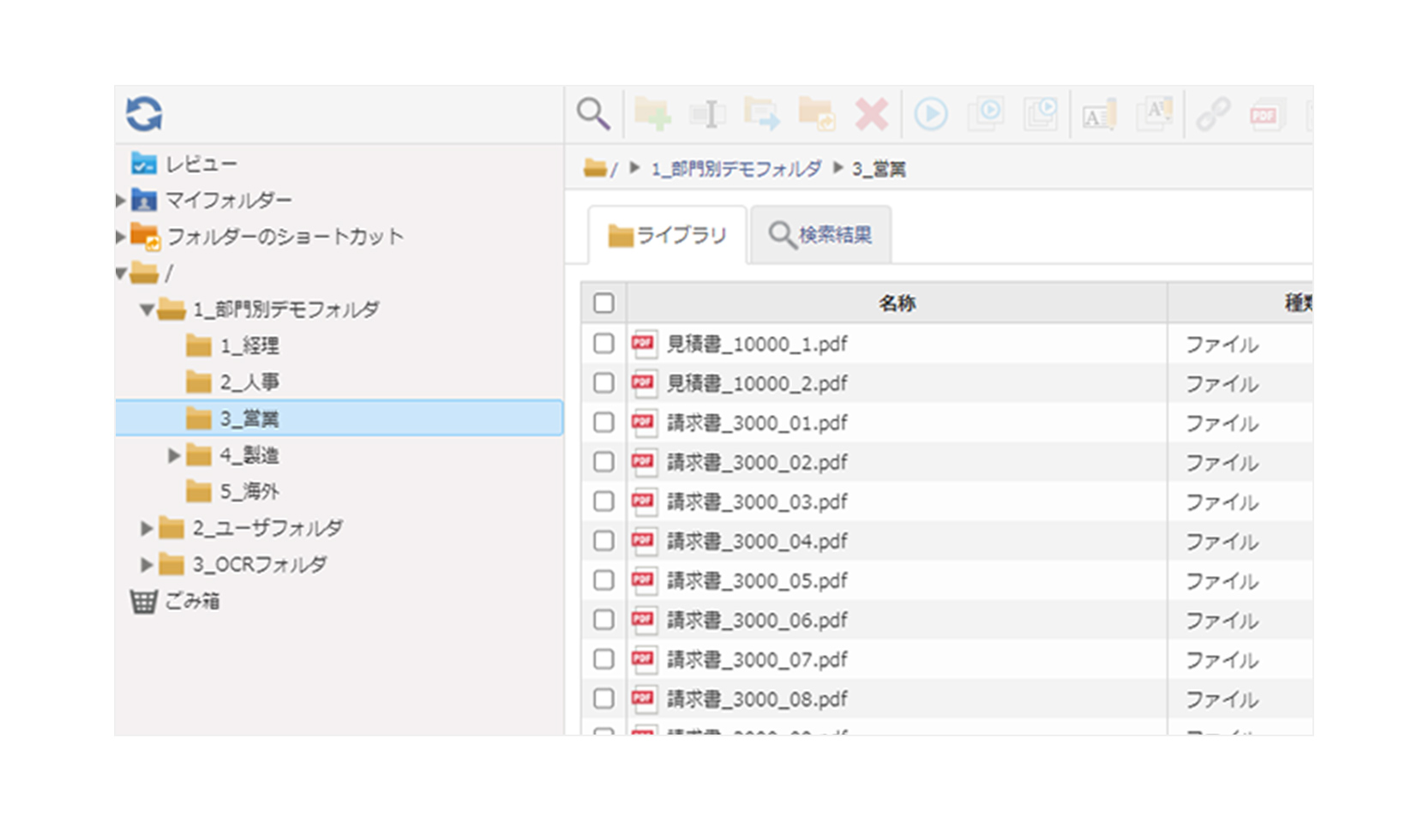
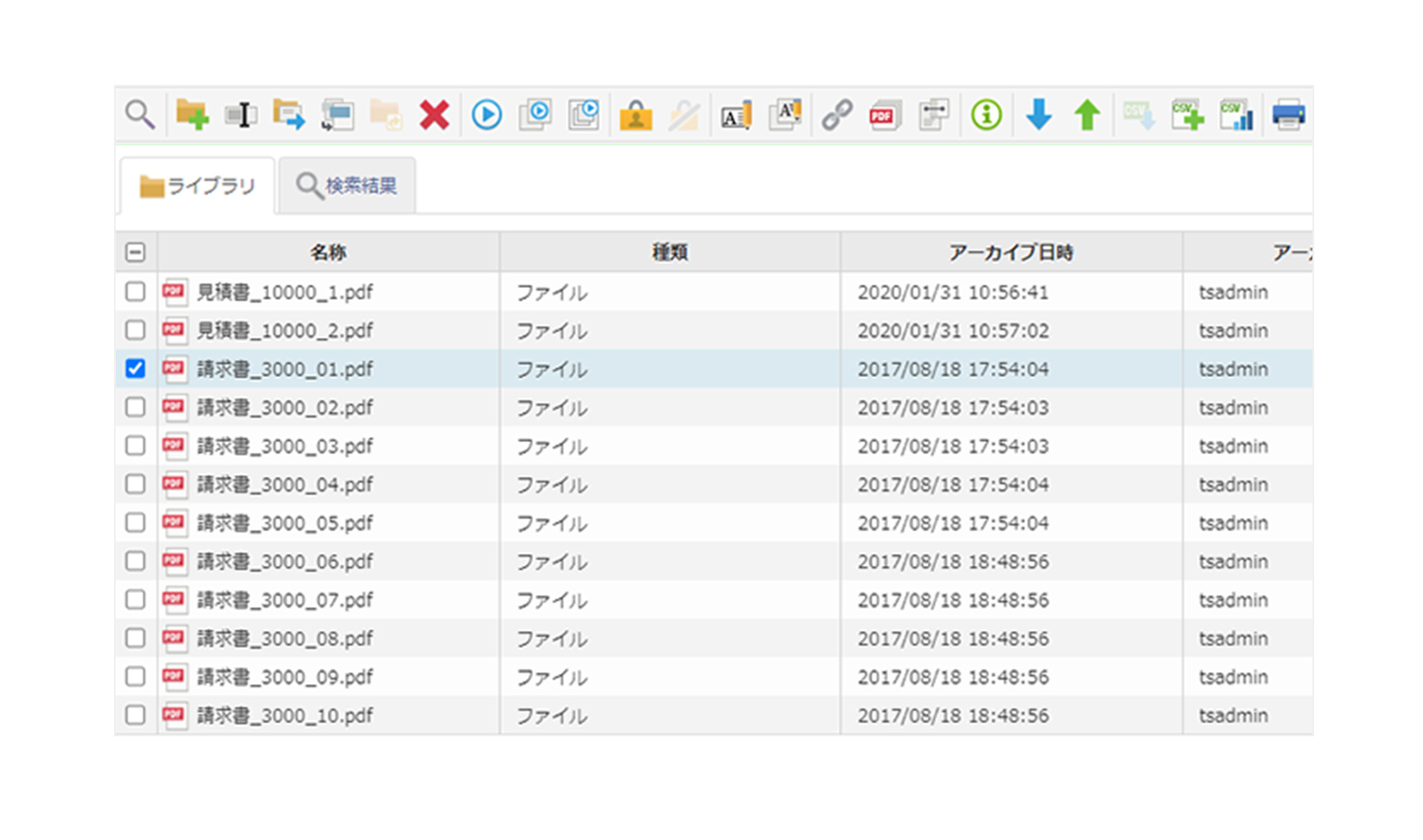
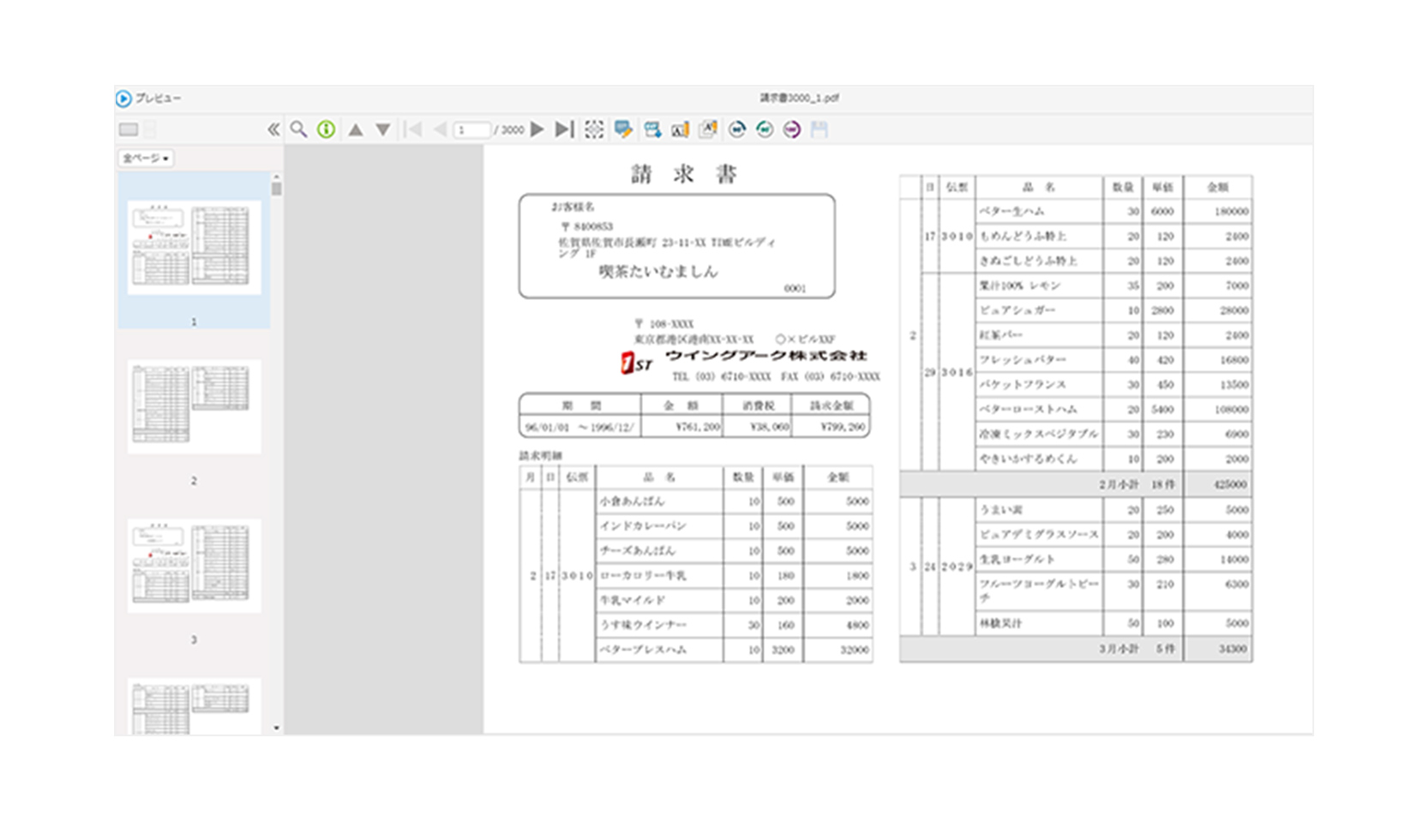
The familiar Explorer-like interface makes it easy to find and retrieve documents. You can also preview documents on the screen.
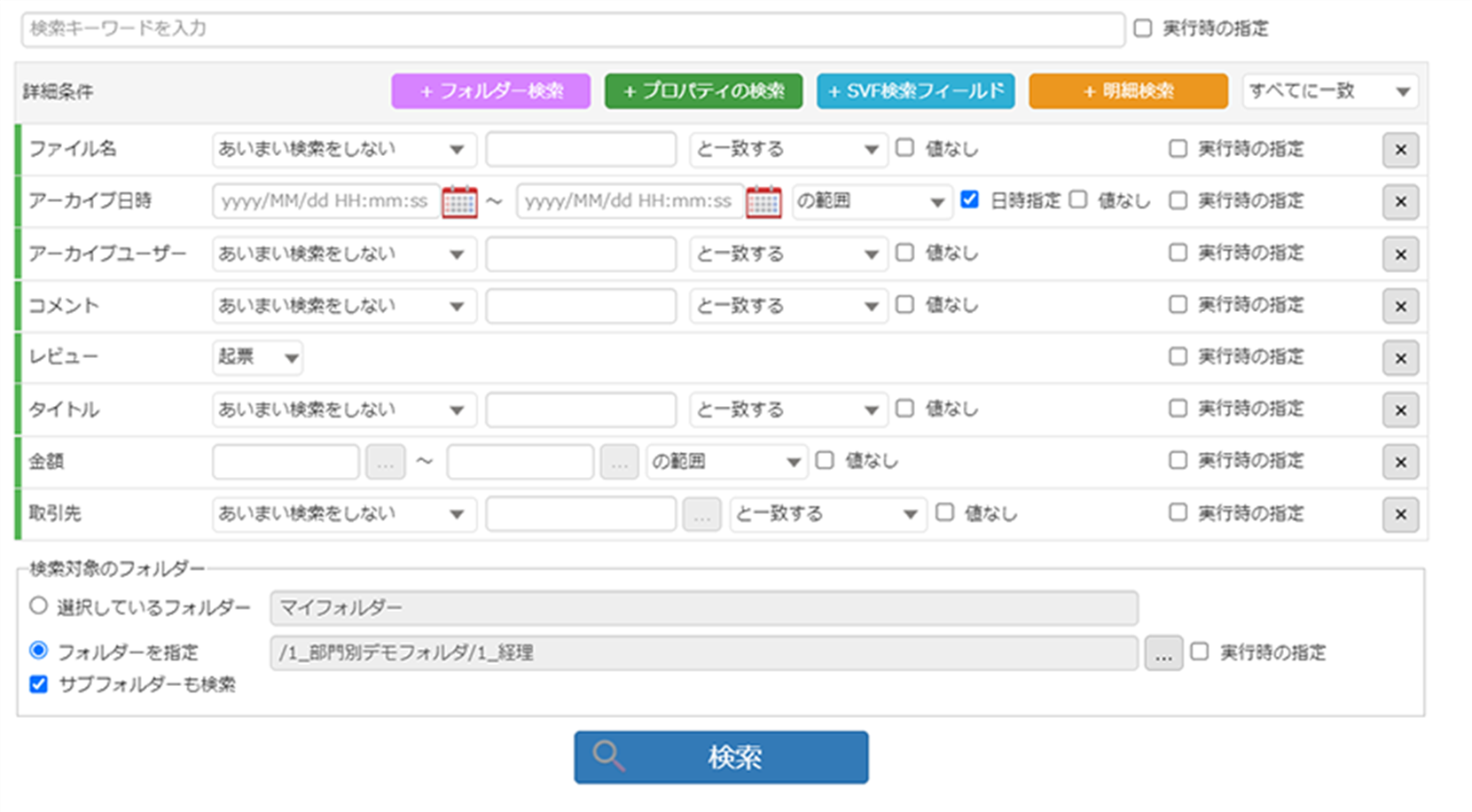
Accurate search function
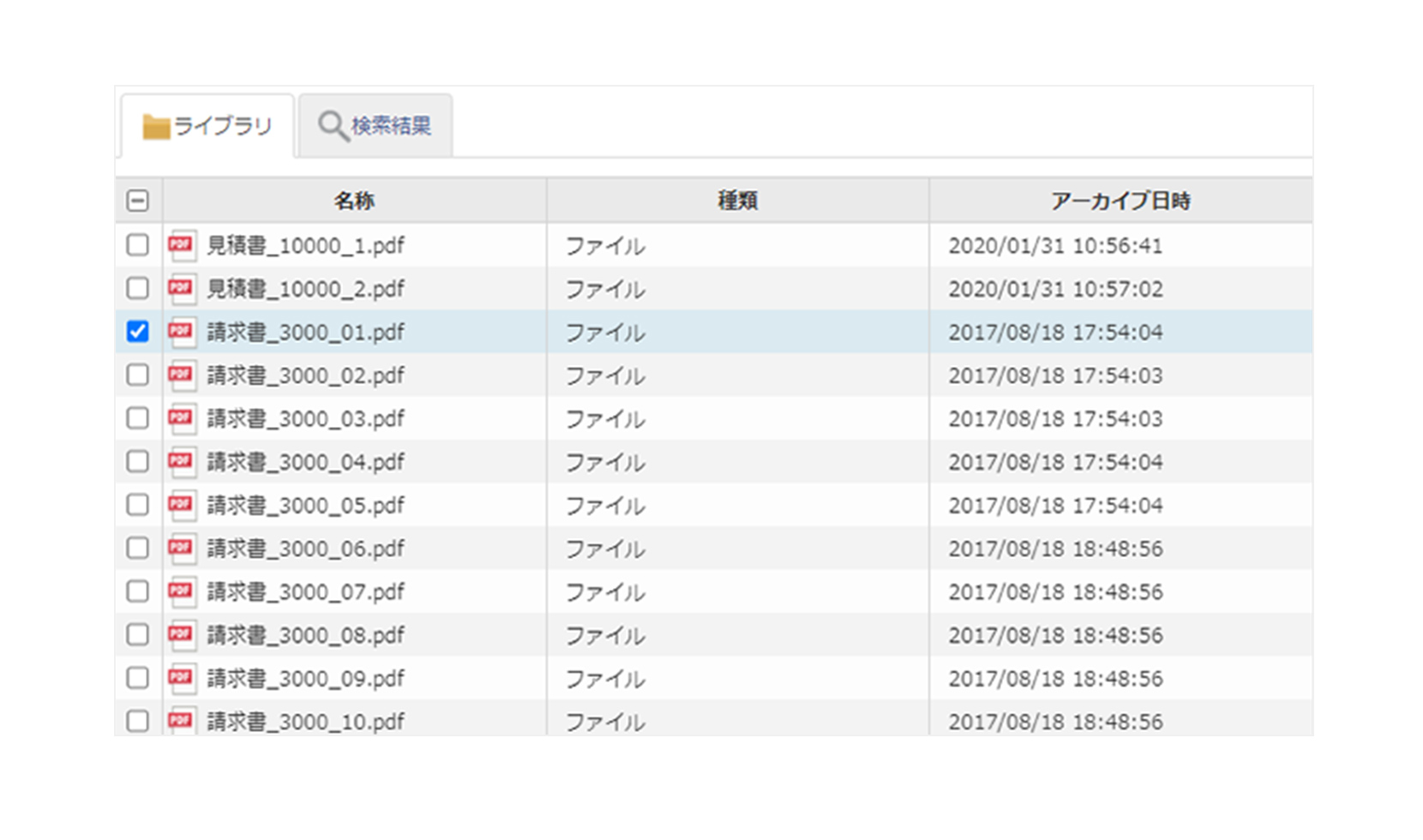
In addition to full-text search, the invoiceAgent Documents program can also perform partial match search and range search by text, numbers, and dates, making it easy to comply with corporate responsibilities regarding digital storage of documents and records stipulated by various laws and regulations.
02
Automatic import and sorting of documents
Automatic import
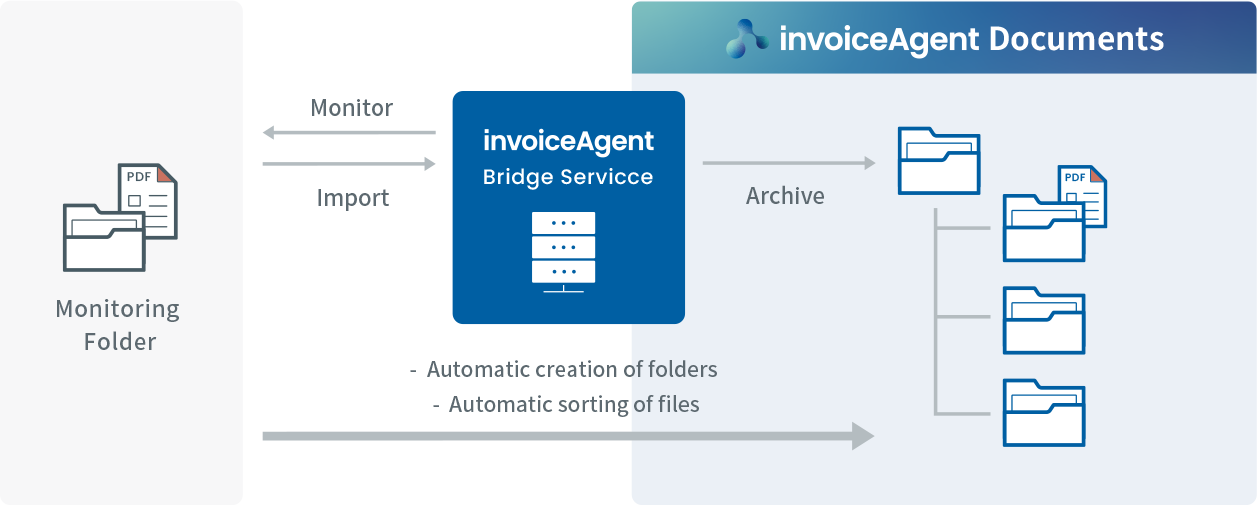
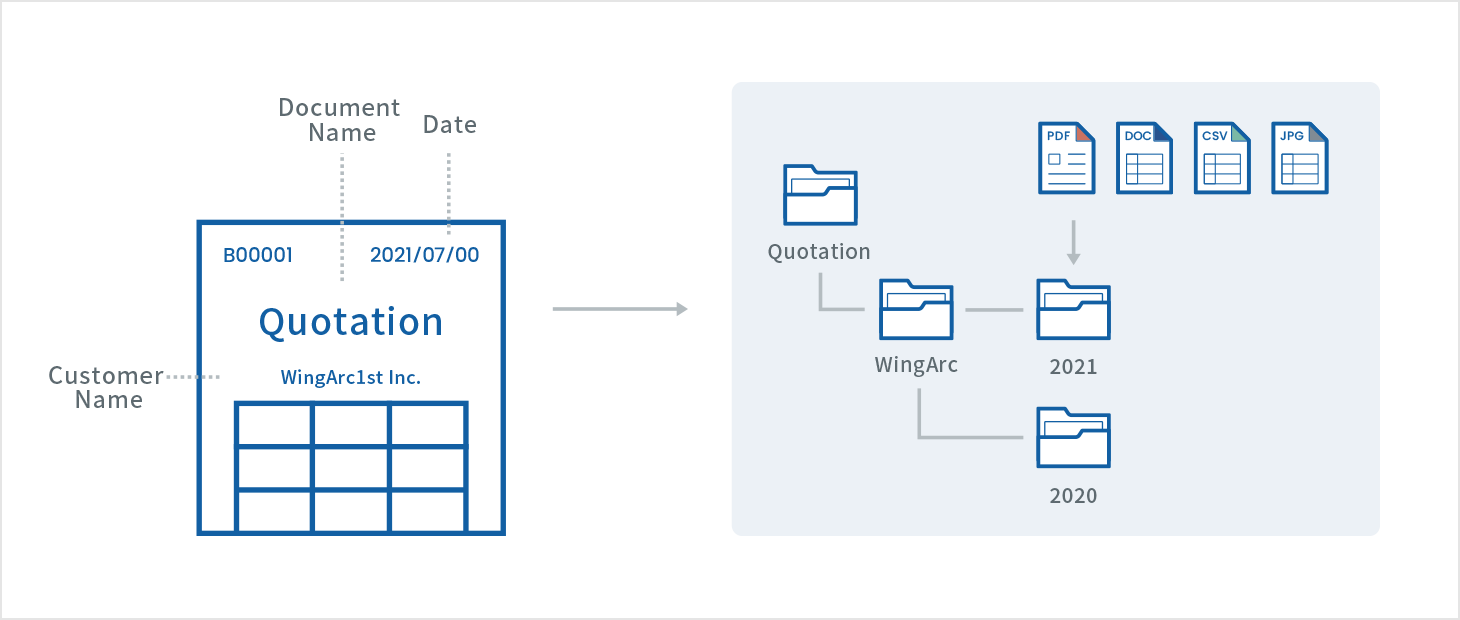
Automatically save (store) documents created and documents exported from other systems. Monitor specified folders, import according to set rules, and save with file names that can be easily referenced.
*Files that can be archived in invoiceAgent Documents
PDF, image files (BMP/JPEG/PNG/TIFF), Microsoft Office files,text files, documents spooled to RDE
*RDE SUITE (RDE) is a form integration spool server that enables mission-critical business form utilization of core systems in a multi-platform environment. RDE facilitates company-wide business form utilization and can be used for the centralized printing of forms, printing in offices and departments, and searching, browsing, and reprinting forms according to operations.
Automatic sorting
Automates sorting rules used when filing paper documents. invoiceAgent Documents reads conditions such as dates, numbers and text from PDF files, Office files and images and then sorts documents using these conditions into specified folders.
Information that can be used for automatic sorting
File name
File name
System date
Date of import
PDF properties
PDF properties (title, author, etc.)
SVF search fields
Field value output by SVF
RDE document
information
Properties of the source RDE document (document name, print date, document management number, etc.)
OCR
Data acquired by OCR from a PDF file or image file
03
Document security and lifecycle management
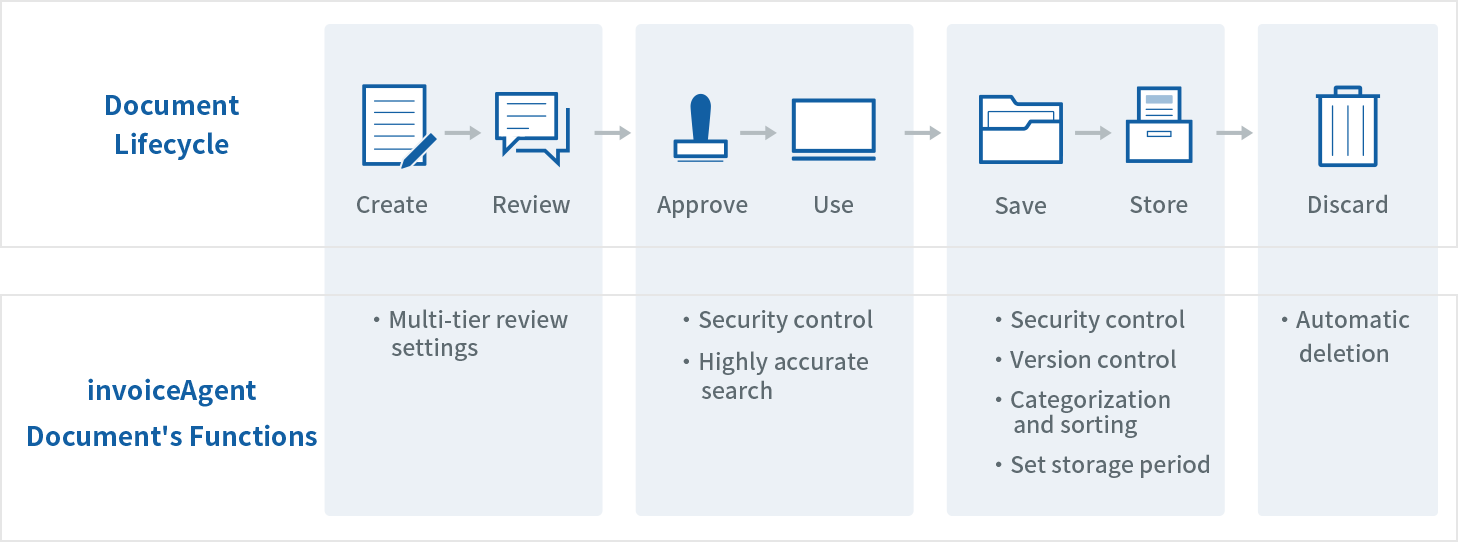
Documents are created and used for many operations, and are either stored or destroyed afterwards. Documents that have a retention period stipulated by law, such as receipts, registrations, and litigation documents, must be properly retained and disposed of as appropriate. invoiceAgent Documents automates operations, maintaining a history from document creation to destruction, and automatically deletes documents once the retention period lapses.
Versatile security controls
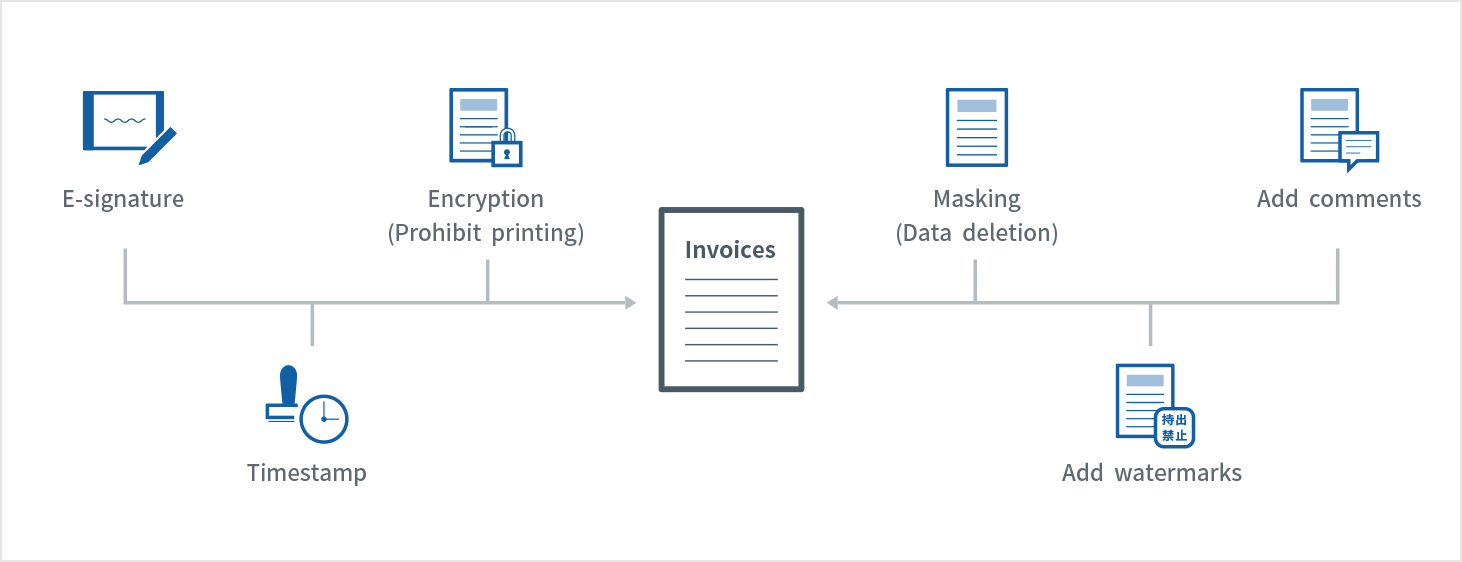
Users can make detailed settings for functions such as file passwords, printing restrictions, addition of watermarks, and masking specific areas without altering the original PDF. Users can also enable e-signatures.
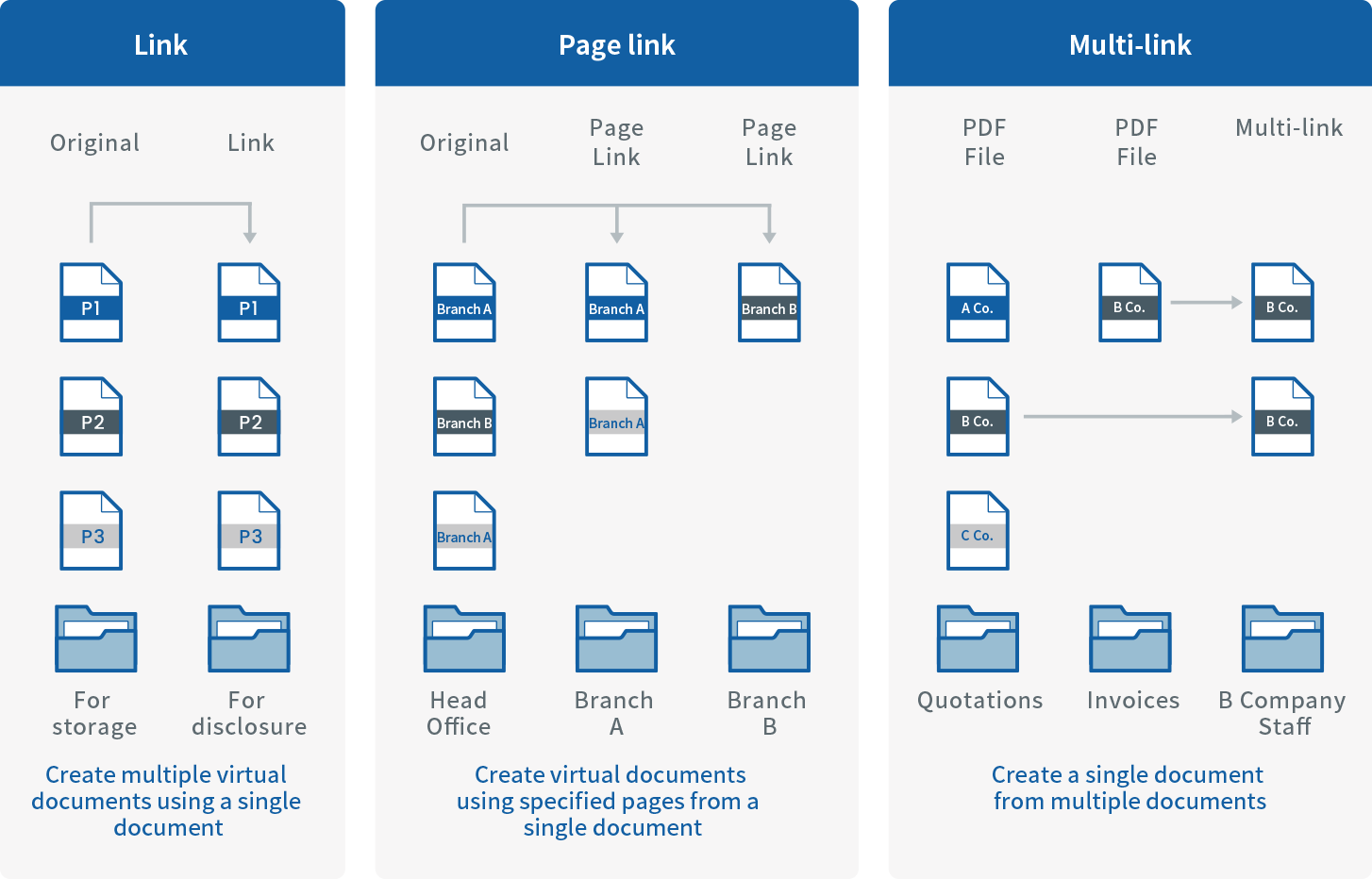
Flexible operation of virtual documents
Users can process documents as virtual PDFs (a shortcut on invoiceAgent Documents) without modifying the original document. Multiple documents can be combined into one file or multiple pages can be separated into individual files.
Document version control / Multi-level review
With invoiceAgent Documents’ document version control, users can view and restore past versions of documents as well as view the latest versions.
04
Other document management functions
Save original file in Box
Users can store original documents imported into invoiceAgent Documents in Box, the cloud content management platform. This enables Box users to use the timestamp, AI OCR, and other functions.
Reference document properties by sorting files after storing in invoiceAgent Documents
After files are stored in invoiceAgent Documents, they may need to be moved due to organizational changes or changes in document status. You can extract and sort the files to be moved by referring to document properties.
Convert non-PDF files to PDF and store as originals
When storing fixed transaction documents created in Word or Excel, you can convert these files to PDF, add long-term-signatures and time stamps, and save them so that they cannot be edited before sending them to business partners. Original Office files can be stored with the PDF files. Both can be downloaded by clients.
Use cases
01
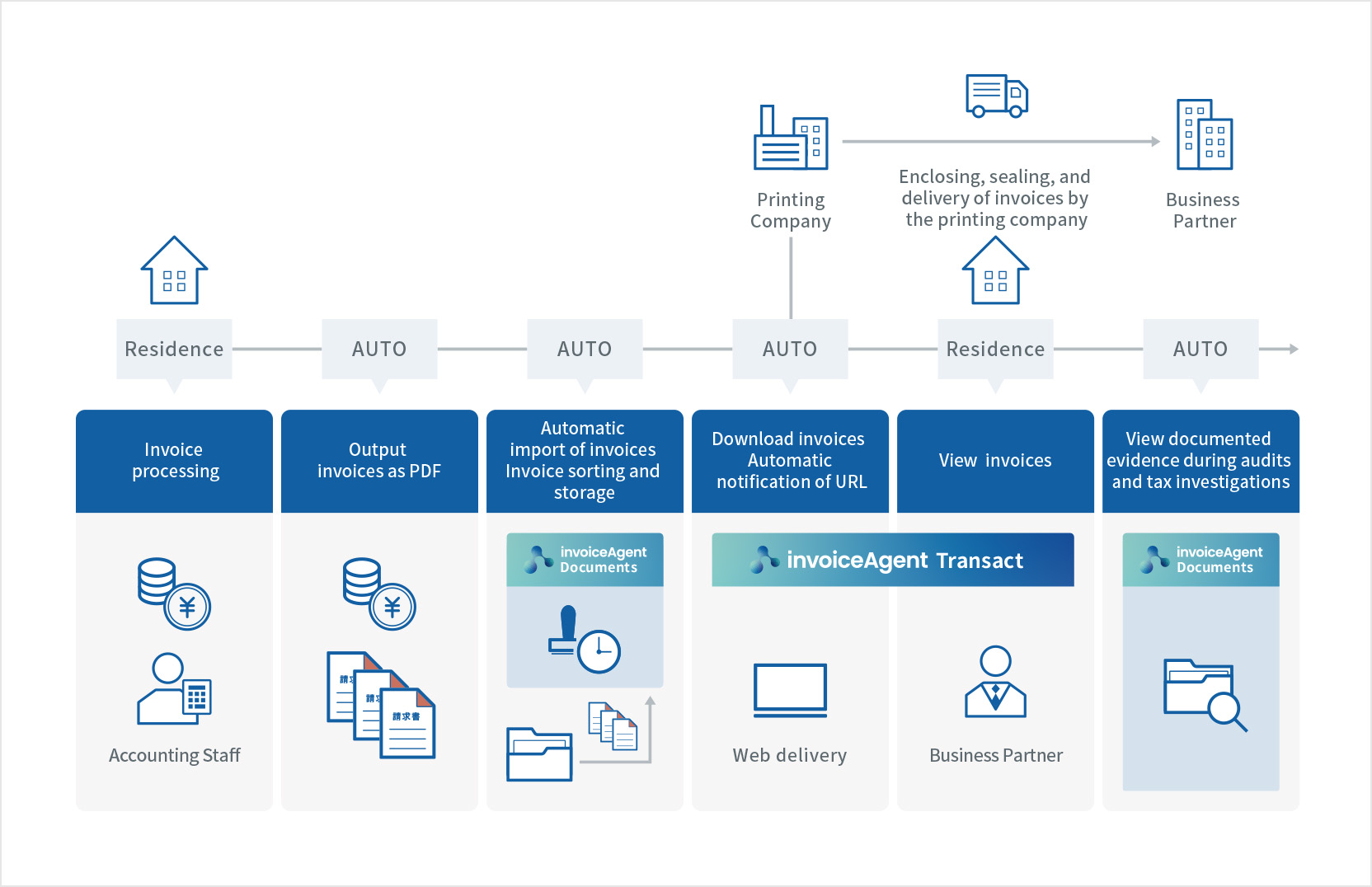
Issuance of invoices
Issues
Printing and dispatching invoices and the subsequent filing is burdensome
Even if we consider implementing digitization, some business partners want documents sent by post, which requires us to go to the office
Solutions
Sending invoices via invoiceAgent eliminates the need for mailing and filing work and supports remote work
Automatic distribution (division and dissemination) prevent security accidents caused by manual procedures
Shipping services are available for partners who wish to receive documents by post
02
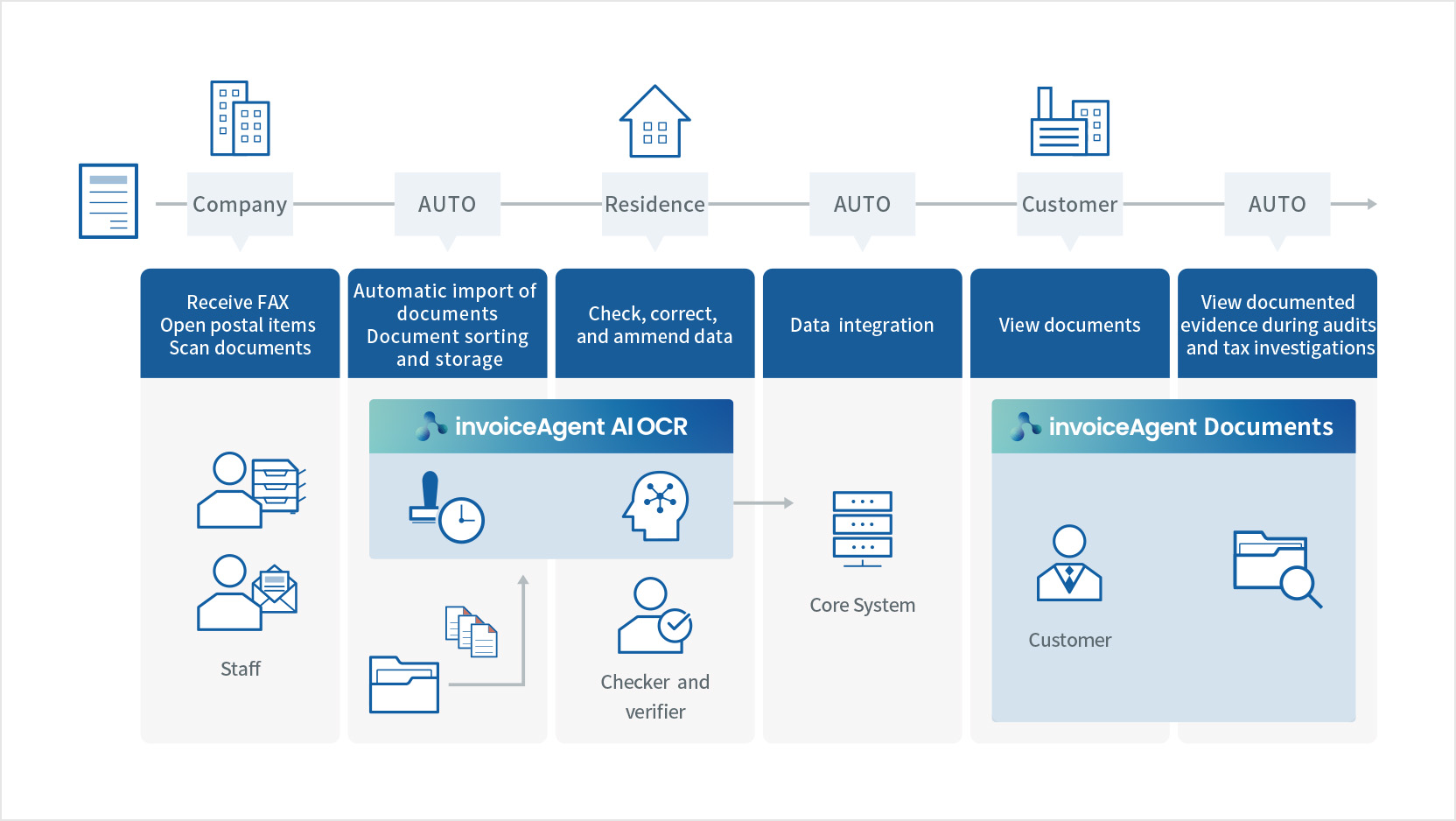
Receipt of invoices
Issues
Manual approval, data input, and filing of documents create a heavy workload
Cannot check documents immediately in case of emergency
Must report to office to receive documents
Solutions
Simplify input work by digitizing paper documents and using OCR to convert the contents to data
Add timestamps when storing documents in invoiceAgent and retain information such as customer name, date, and amount
Accounting numbers assigned by core systems are linked to invoiceAgent to comply with the Electronic Book Storage Act (saved by scanning) and originals paper documents can be discarded
Staff can come to the office only for scanning the documents and work remotely for other tasks
03
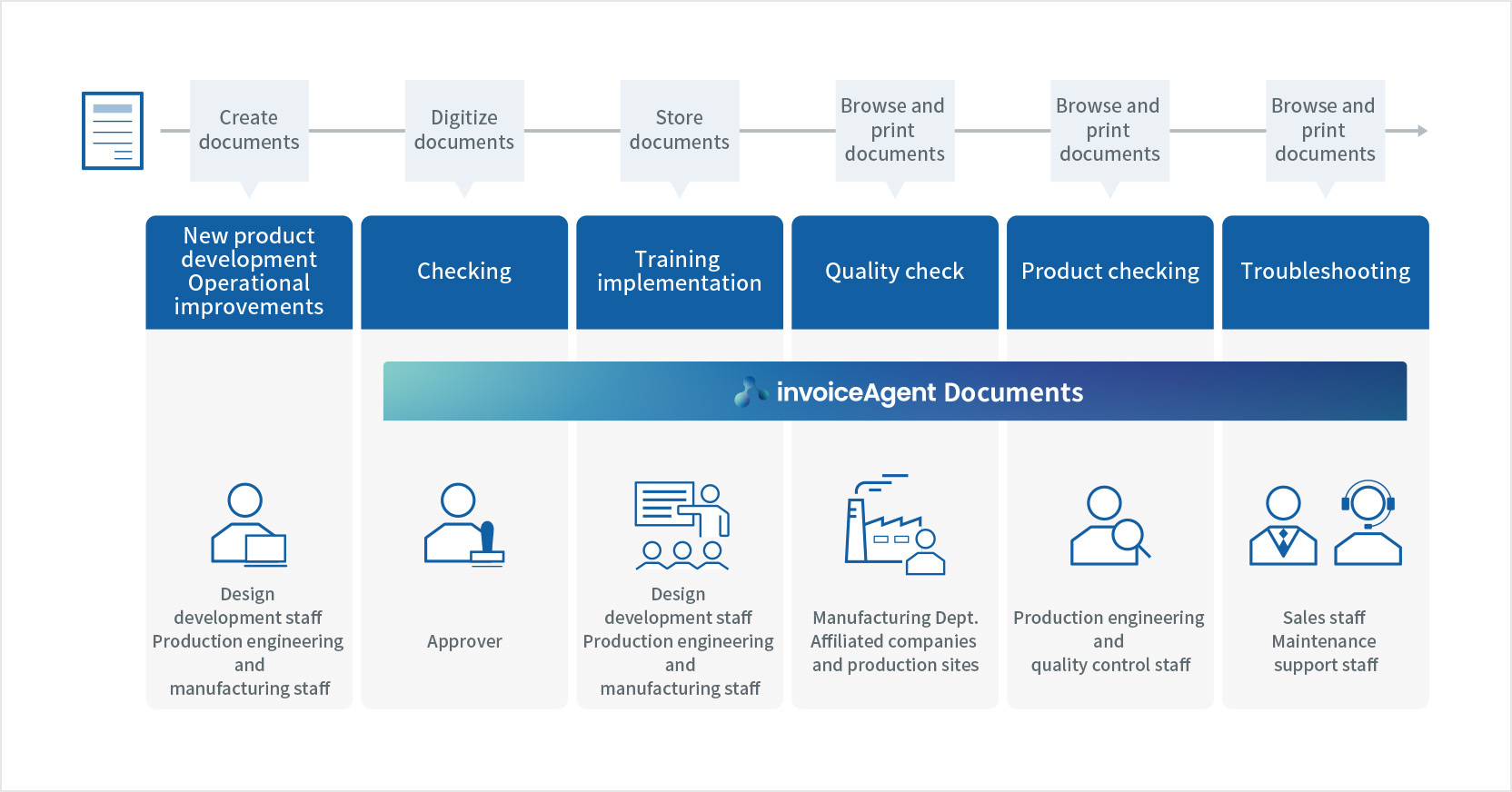
Drawings and manuals
Issues
Cannot search by information to locate required documents
Files are not saved according to storage rules
Difficult to carry out accurate version management since old and new drawings/manuals are mixed
High risk of information leakage
Solutions
A variety of search methods enable you to quickly find the document you are looking for
Use automatic distribution to manage files according to storage rules and simplify operations